Creative Spectral Transformation
Bend frequencies. Reshape textures.
Discover a new side of your sound.
Start exploring Spectral WARP

A new brand from the people behind TONSTURM
Spectral Warp is its first release, available through the TONSTURM store
See Spectral Warp in action
Hear what’s possible
I’ve been a Tonsturm fan for years. They record fantastic sounds effects and I always find myself using their equally fantastic plugins. Now under the ‘Melted Sounds’ banner they’re getting… Read More »

Sound DesignerDune: Parts One, Two & Three · Project Hail Mary · Blade Runner 2049 · District 9
I’ve been a Tonsturm fan for years. They record fantastic sounds effects and I always find myself using their equally fantastic plugins. Now under the ‘Melted Sounds’ banner they’re getting things rolling with ‘Spectral Warp’. The name truly speaks for itself. Take any old sound and warp it, pitch it, blur it, morph it into something dark and twisted or shiny and new. Get creative with mod section with LFO, Random, Envelope Followers and Macros to add movement and life. Paired with a nice delay and filters it really is a great tool for creative sound design. Can’t wait to see what Tilman and the team cook up next. Get into it!
Sound DesignerDune: Parts One, Two & Three · Project Hail Mary · Blade Runner 2049 · District 9
Spectral Warp has a truly unique sound, an incredible addition to my sound design toolkit.

Sound DesignerProject Hail Mary, A Quiet Place Part II, Space Jam: A New Legacy, The Creator, Joker: Folie à Deux, Transformers: Rise of the Beasts
Spectral Warp has a truly unique sound, an incredible addition to my sound design toolkit.
Sound DesignerProject Hail Mary, A Quiet Place Part II, Space Jam: A New Legacy, The Creator, Joker: Folie à Deux, Transformers: Rise of the Beasts

Draw your transformation
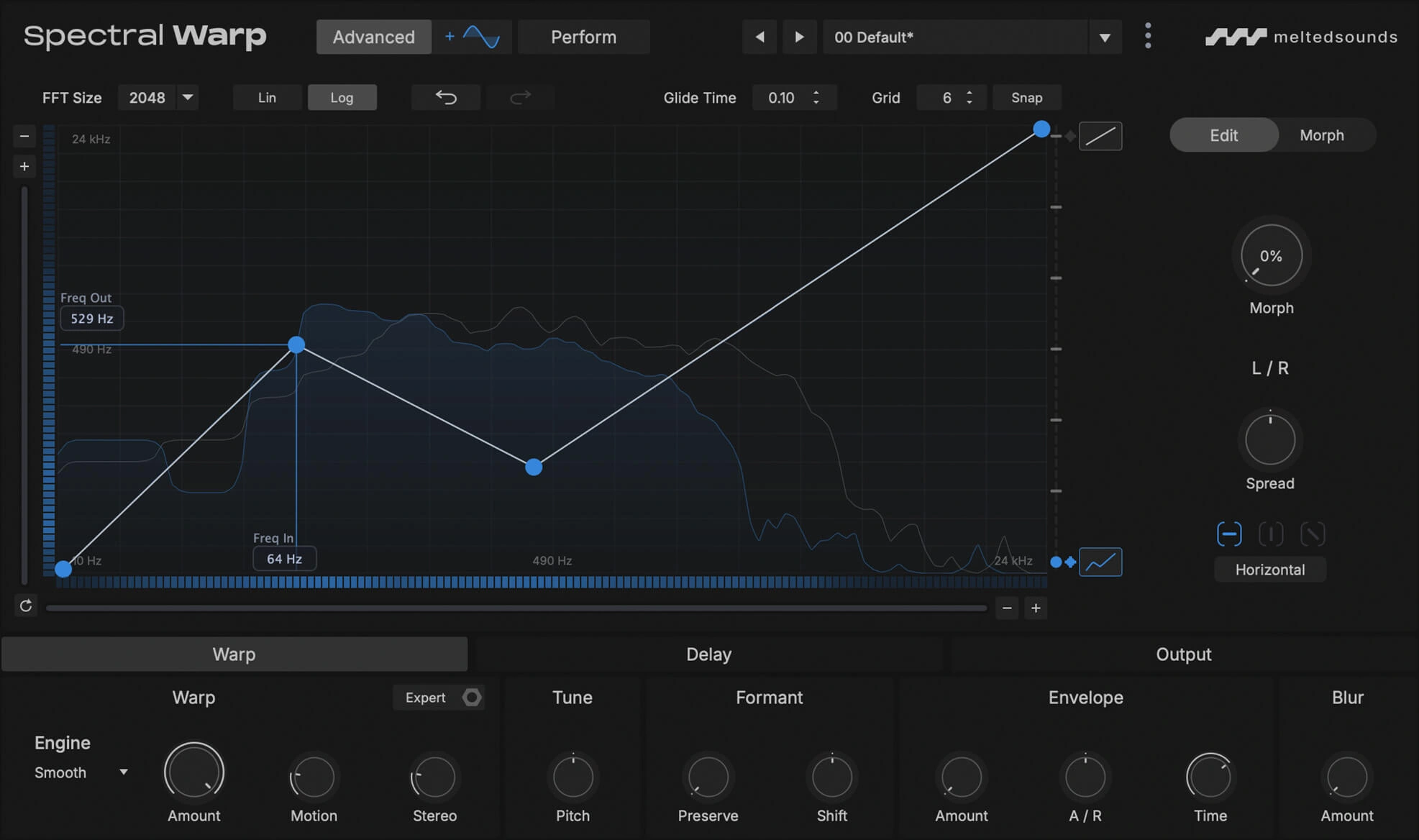
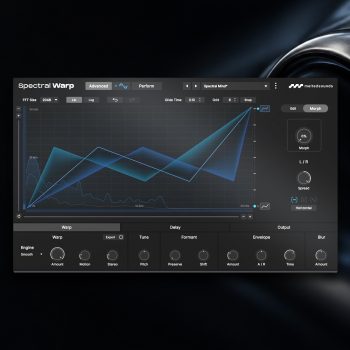
The spectrum is your canvas
Edit breakpoints and bend the map to send input frequencies to new destinations in the output spectrum. Draw gentle curves for subtle shifts or sharp angles to pull frequency regions apart
Morph between snapshots
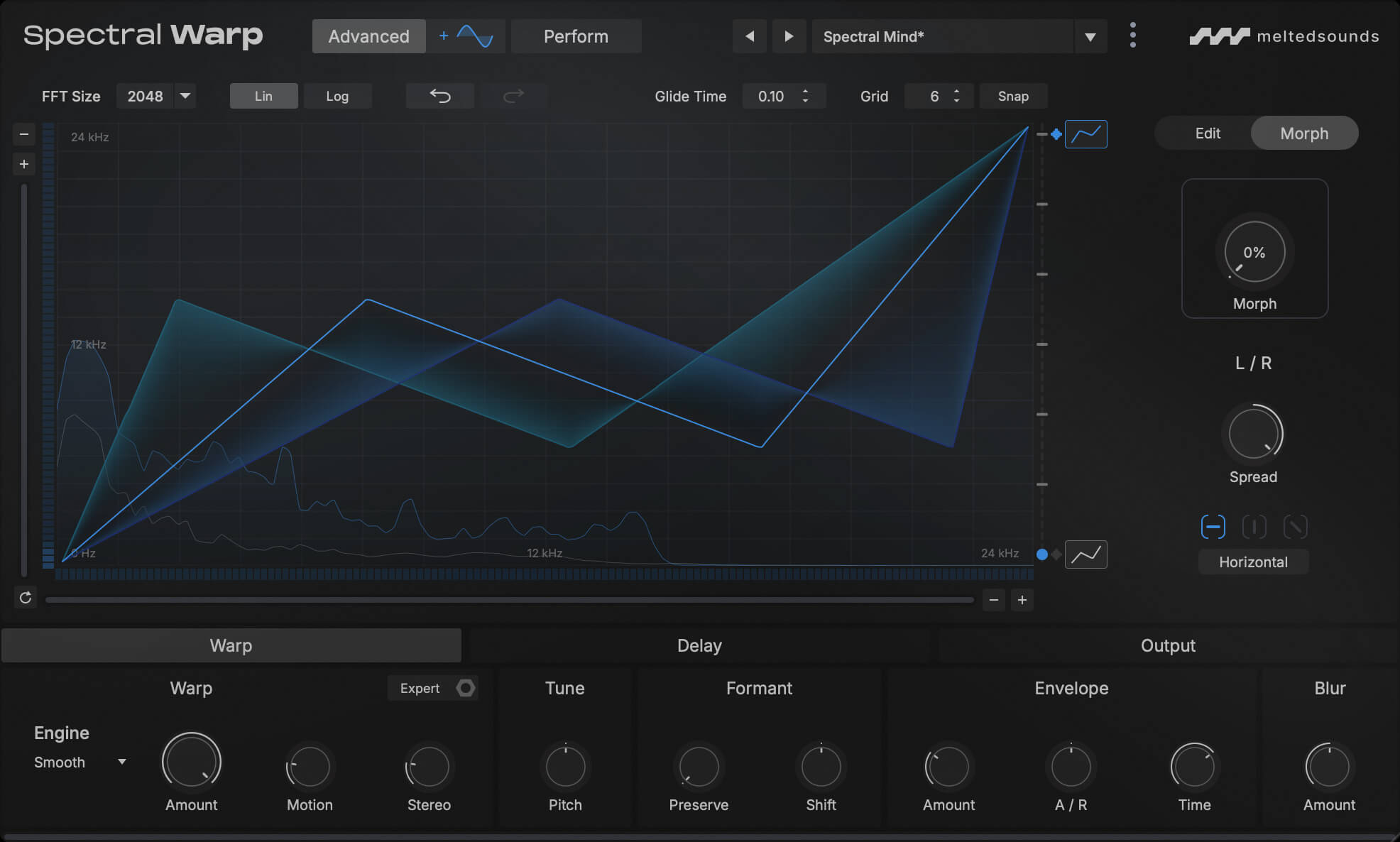
Morph
Morph between
spectral snapshots
The snapshot morphing system lets you save contrasting frequency maps and travel continuously between them. Automate Morph or assign modulation to explore the changing textures between each snapshot
Spectral snapshots · Continuous morphing · Stereo Spread
Make it move
Animate
Let the sound
find its own motion
A flexible drag-and-drop modulation system brings every transformation to life. Combine LFOs, four Random modes and an Envelope Follower to make parameters pulse, drift or respond to incoming audio, with independent depth and direction for every assignment
Drag-and-drop modulation · Multiple sources per destination · Add / Mult
Dive into the DSP section

Choose between Smooth and Clean, two processing engines with distinct characters. Shape the result with pitch and formant controls, soften attacks or extend releases, add diffuse spectral tails with Blur, and introduce evolving phase movement with Motion

Stereo and ping-pong Delay add rhythmic depth. Sync to your session, shape the feedback with filters and let each repeat become part of the texture

Work in Stereo or Mid/Side. Blend the dry and processed signals, or divide them by frequency with Freq Split. Finish with output filtering and a limiter
Perform
Build in Advanced.
Play in Perform
Build your patch in Advanced mode, then put its most expressive changes behind named Macros and an XY pad. Switch to Perform mode for a focused view that puts those controls within reach
Get it now
Incl. VAT